Post-fundraising: Mastering your Carta account
What's next after fundraising?
Congratulations on your successful fundraising! We understand the hard work it took to get here. You might be wondering, "What's next?" We've put together some resources below to help.
First, request your 409a valuation
409a valuations are essential for setting the strike price of stock options that you’ll grant to employees, advisors or consultants. This valuation ensures compliance with IRS rules to avoid tax penalties
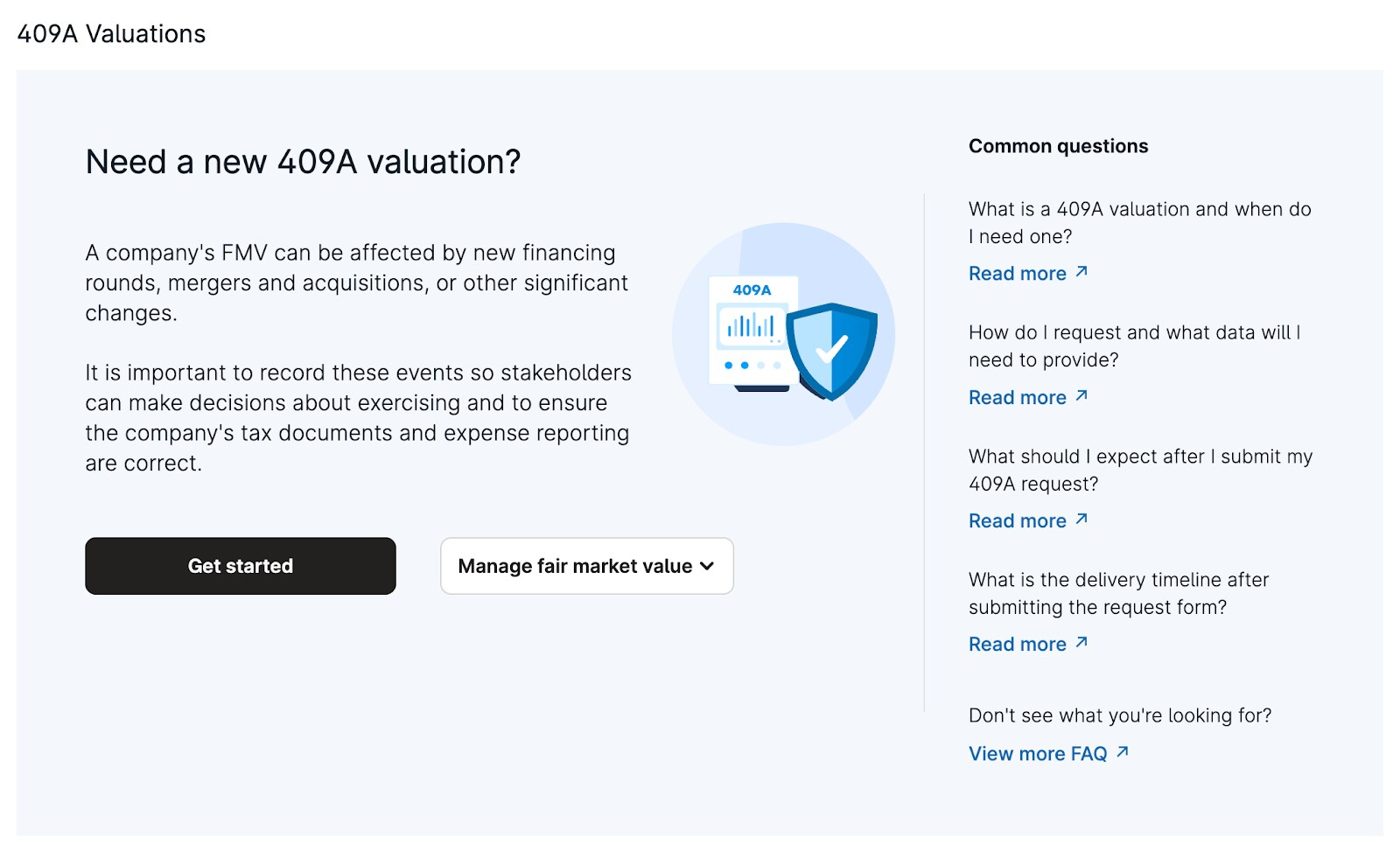
Learn more about the different methodologies here
A valuation is valid for up to 12 months or until a material event occurs–see Carta's guide on 409A valuations
HOW IT’S DONE: Requesting a valuation from our dedicated 409a valuation team is simple. See step-by-step instructions here to complete your request in-app.
Our 409a valuation team comes included with your Carta subscription
Contact our experts at val-operations@carta.com or (650) 457-6657 before you start, during the request, or after you’ve received your draft.
WHAT TO EXPECT: After our team has reviewed your request, you’ll receive a confirmation email when your draft is ready for review. Once you approve your 409a, you can draft a board consent for 409a approval by selecting 'Get board approval'.
If you don’t use Carta for board approval, simply approve the 409a by selecting My board has approved
Next, your equity incentive plan
Now that you’ve received your updated 409a, it’s important to check that your equity incentive plan (EIP) is up-to-date or created for the first time in order to issue equity awards.
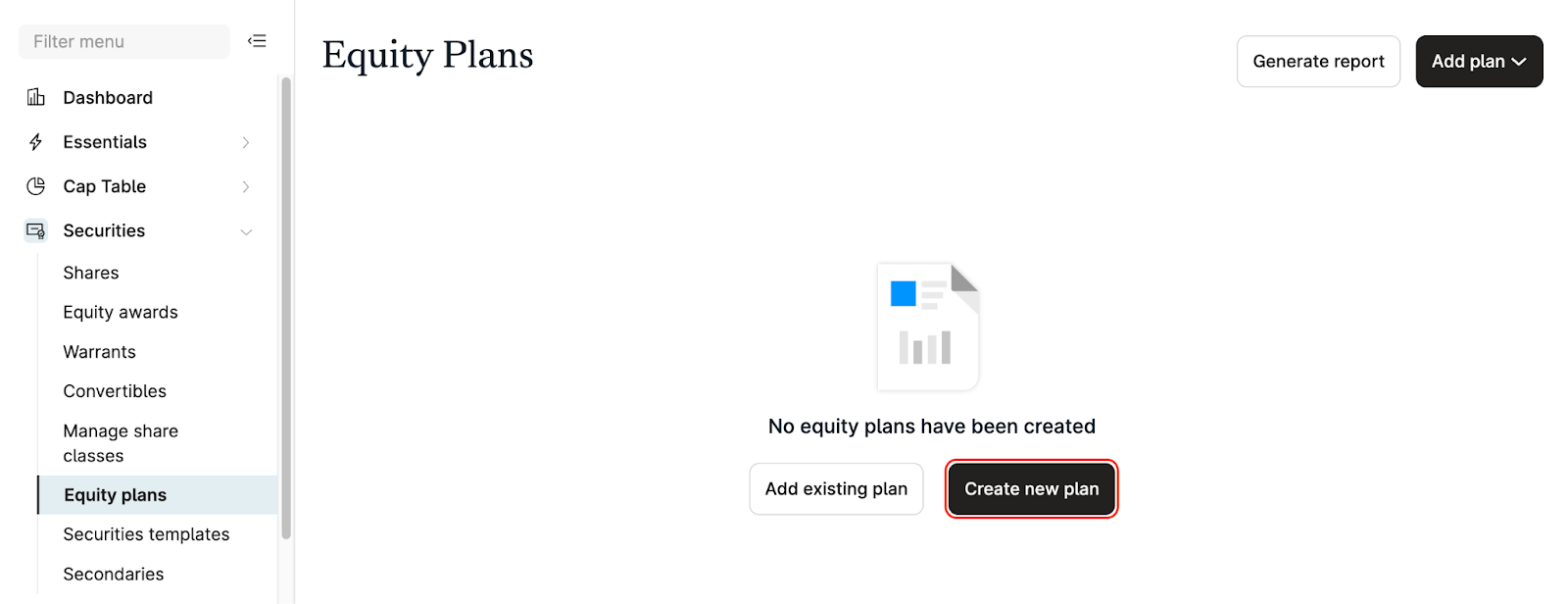
IF YOU ALREADY HAVE A PLAN: Make sure it's reflected properly in Carta
CREATE YOUR PLAN USING CARTA: We’ve made it easy to create an equity incentive plan, saving you time and money using our Equity Plan generation tool
You can generate your equity incentive plan and all associated documents needed to issue equity awards (EIP, Form of Exercise Agreement, Form of Option Agreement)
You’ll need your EIP documents for the next section—Understanding securities templates
The equity plan generation tool is available for companies that are US-based and DE-incorporated, with a single common share class and no existing equity plans
This is a self-serve tool, and we recommend you consult your legal advisors during the process
WHY IT MATTERS: An equity incentive plan is crucial for startups to attract and retain top talent
An EIP allows companies to offer employees ownership stakes, aligning their interests with the company's success
This motivates employees to contribute more effectively, as their financial rewards are tied to the company's performance
Digging into securities templates
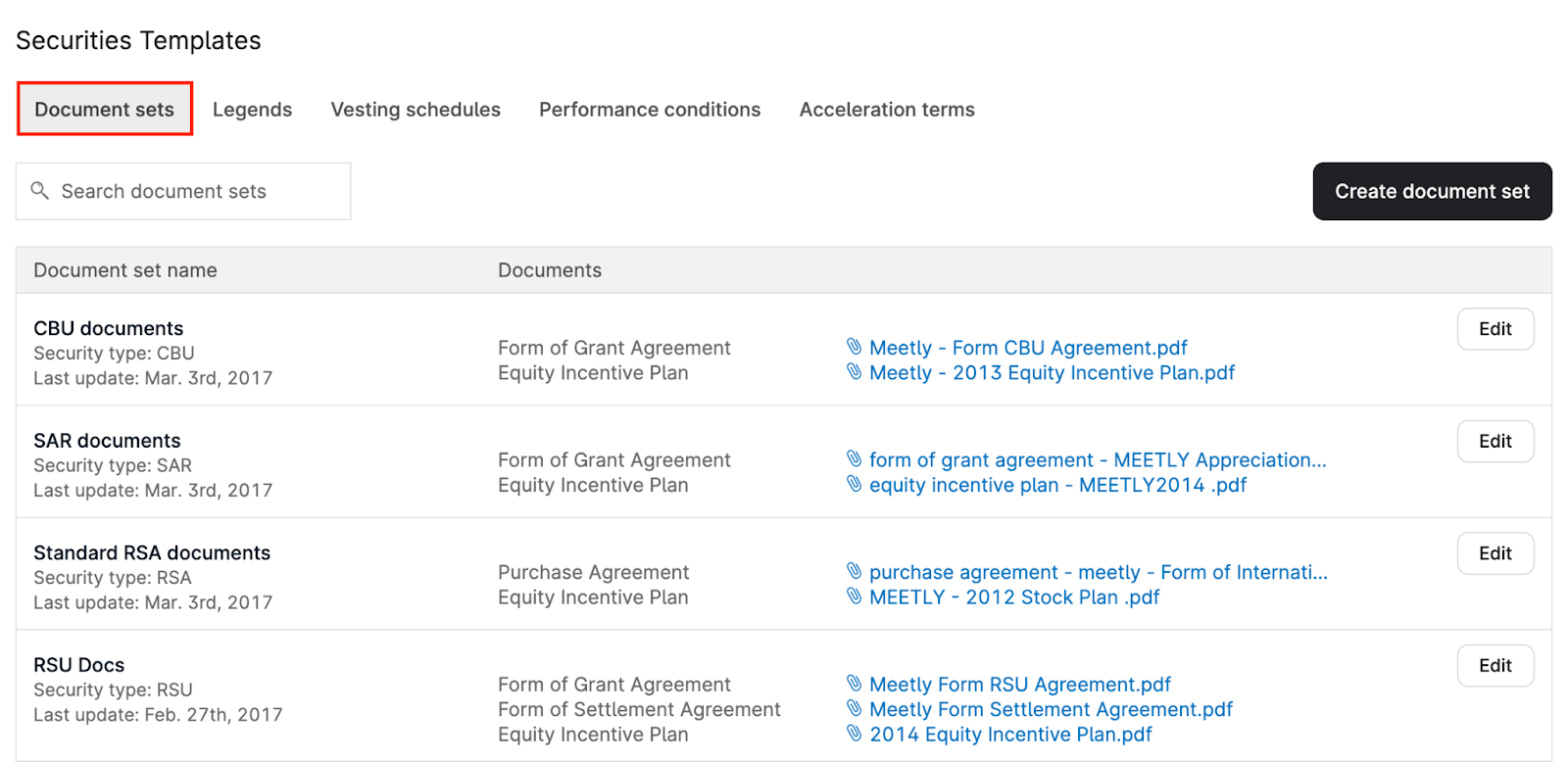
Carta supports five distinct template types that can be seamlessly applied when issuing securities.
WHY IT MATTERS:
Securities Templates allow company admins to effortlessly manage pre-defined sets of information and documents, streamlining the equity issuance process by eliminating repetitive administrative work
1. Document Sets: Navigate here for steps to add document sets to your company's Carta account
Create a document set tailored to each specific security type (ISO, NSO, RSU)
You can leave blank fields or placeholders that refer to details listed elsewhere on the document set
Depending on the security type, you’ll need different documents. For ISOs/NSOs, you’ll need at least three: EIP, form of exercise agreement, form of option agreement.
You'll need to request these from your legal team if you didn't use our Equity Plan Generation Tool
2. Vesting Schedules
Carta provides standard vesting schedule templates, such as:
1/48 monthly
1 year cliff schedule
Boxcar vesting, and more
If you don't see the schedule unique to your plan, you can create your own template
Board consents through Carta
With our board consents tool, we allow important decisions to be made in real-time—all in one digital place so the necessary parties can access anytime.
All equity award issuances and many other actions require board approval. Use our streamlined process to save you time. With board consents on Carta, you can:
Create your own templates or use our pre-populated templates for easy drafting
Store all board consents where the rest of your cap table information exists
Receive board approval on new grants, refreshes, 409a valuations and much more
HOW IT'S DONE: You can draft a board consent anytime following these instructions. To keep things simple, we've built the board consents feature into the following workflows:
While issuing options or RSUs
Through our 409a valuation workflow after you've received your draft 409a
Finally, let’s issue securities
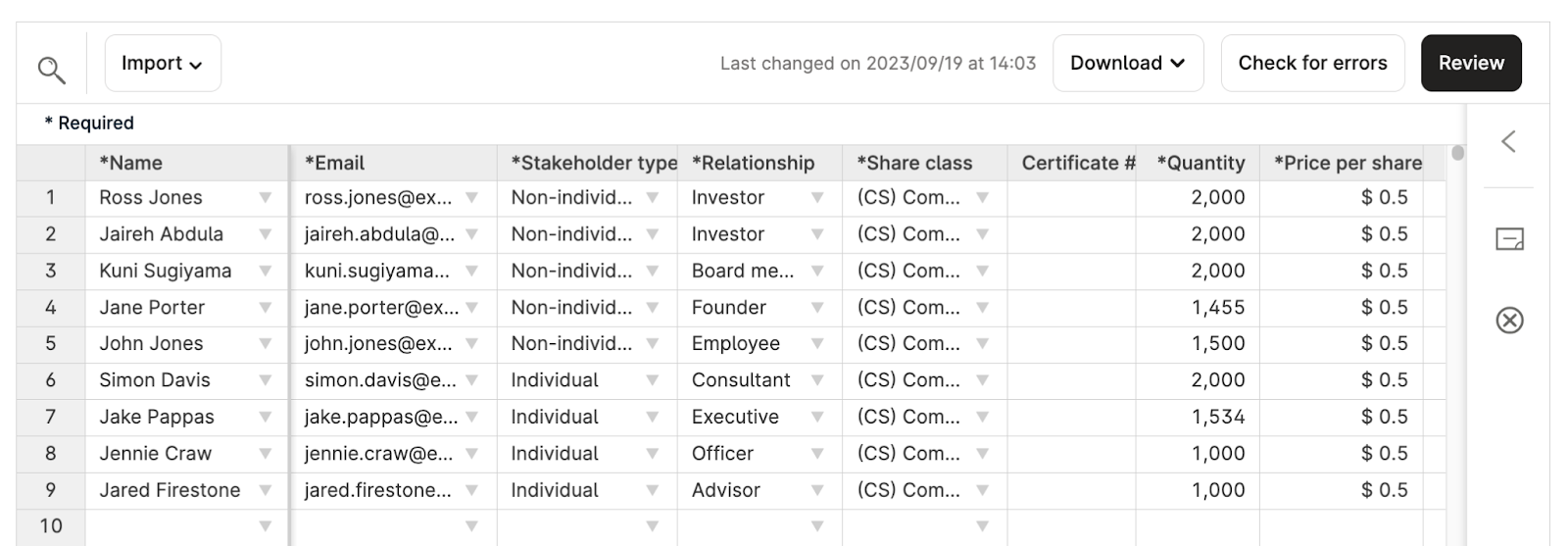
You’re now ready to issue your securities! You can simply draft options or certificates by clicking the applicable option under your Essentials or Securities tabs.
FOR US-BASED COMPANIES: Carta is an SEC-registered Transfer Agent. We simplify the intricate process of issuing securities through digital securities that don’t need to be reissued on paper.
BEFORE YOU SEND A SECURITY: You’ll need to ensure you have all information required. This information varies depending on the security type.
Carta's platform is designed to help ensure accuracy while drafting. For help resolving errors check out this article
NEXT STEPS: After you’ve completed your draft details, you will release the securities to be signed by the designated company signatory(ies). After they have signed, your holders will receive an email inviting them to accept their securities.
We recommend using our in-app spreadsheet to draft securities, but you can Bulk Import if you’d prefer to use Excel
Adding & managing stakeholders
Review how to add and manage stakeholders. This is important to understand so that you can avoid simple mistakes.
You do not need to add a stakeholder to your ledger before issuing them securities for the first time, they are automatically added to the ledger after you issue them securities
MANAGING STAKEHOLDERS: You can take various actions to manage stakeholders individually or in bulk. A few reasons you may need to manage your stakeholders include:
Name change or spelling mistake
Update the email they receive Carta notifications to
Remove duplicates on the ledger
Updating stakeholder details such as relationship, Cost Centers, employee IDs and more
TERMINATING STAKEHOLDERS: Terminating a stakeholder from the ledger will ensure that they no longer earn any unvested shares, and that those unvested shares are returned to the equity pool
WHY IT MATTERS: Your stakeholder count is based on the number of unique names on the cap table. A stakeholder or investment fund holding multiple securities will count as a single stakeholder.
A stakeholder is defined by any person or entity who holds an outstanding security
Integrating your HRIS system streamlines the process for adding and managing stakeholders
Reports you may need & how to run them
Now it’s time to share your cap table data with your investors. Your report data is constantly regenerated, and reports contain near real-time data from cap table activity.
The reporting suite can be found under your Essentials or Cap Table tabs
Easily search for the reports you need
After exporting, find your reports in your Downloads tab
Here are several reports we recommend familiarizing yourself with:
Detailed cap table report: We recommend checking the settings ‘Detailed’ and ‘Securities ledger by type and class’ when exporting. This will give you the most detailed view of your cap table.
If you set up Full details as a Cap Table Access level for your investors, they can pull reports through their personal portfolio
Communicating with investors
Use the communications center to deliver company updates, pitch decks, legal disclosures, and other messages.
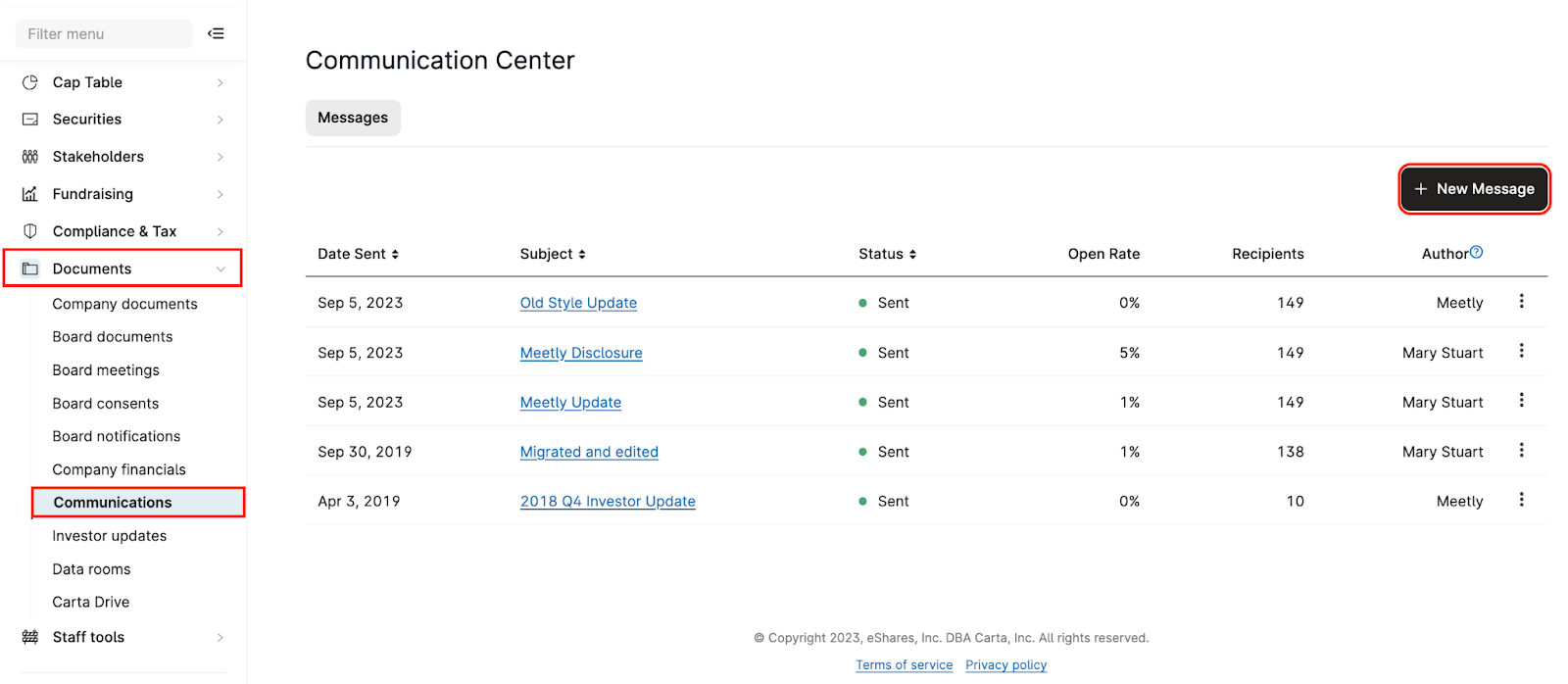
WHY USE CARTA: Keeping communication all in one place makes it easier for your team and your investors to stay organized
Add recipients individually or by cap table relationship (as well as recipients who are not on the cap table)
Track which recipients have opened a message
Allow recipients to leave private comments for the sender via a secure conversation on Carta
Under the Documents tab, you can draft a message from scratch or use one of our templates
Recipients receive an email notification directing them to their Carta inbox to view your message
Access your Carta inbox under your name in the top right corner